
An ambitious website has more than one kind of performance to consider. The first screen should arrive promptly, the controls should respond, and an interactive scene should remain comfortable as someone uses it. A page that loads quickly can still struggle when a visitor starts scrolling or changing options.
If you are commissioning an interactive website for a Cheltenham business, discuss these expectations while the design is taking shape. It is easier to choose a suitable experience early than to discover near launch that its central effect needs a much more powerful device than your customers use.
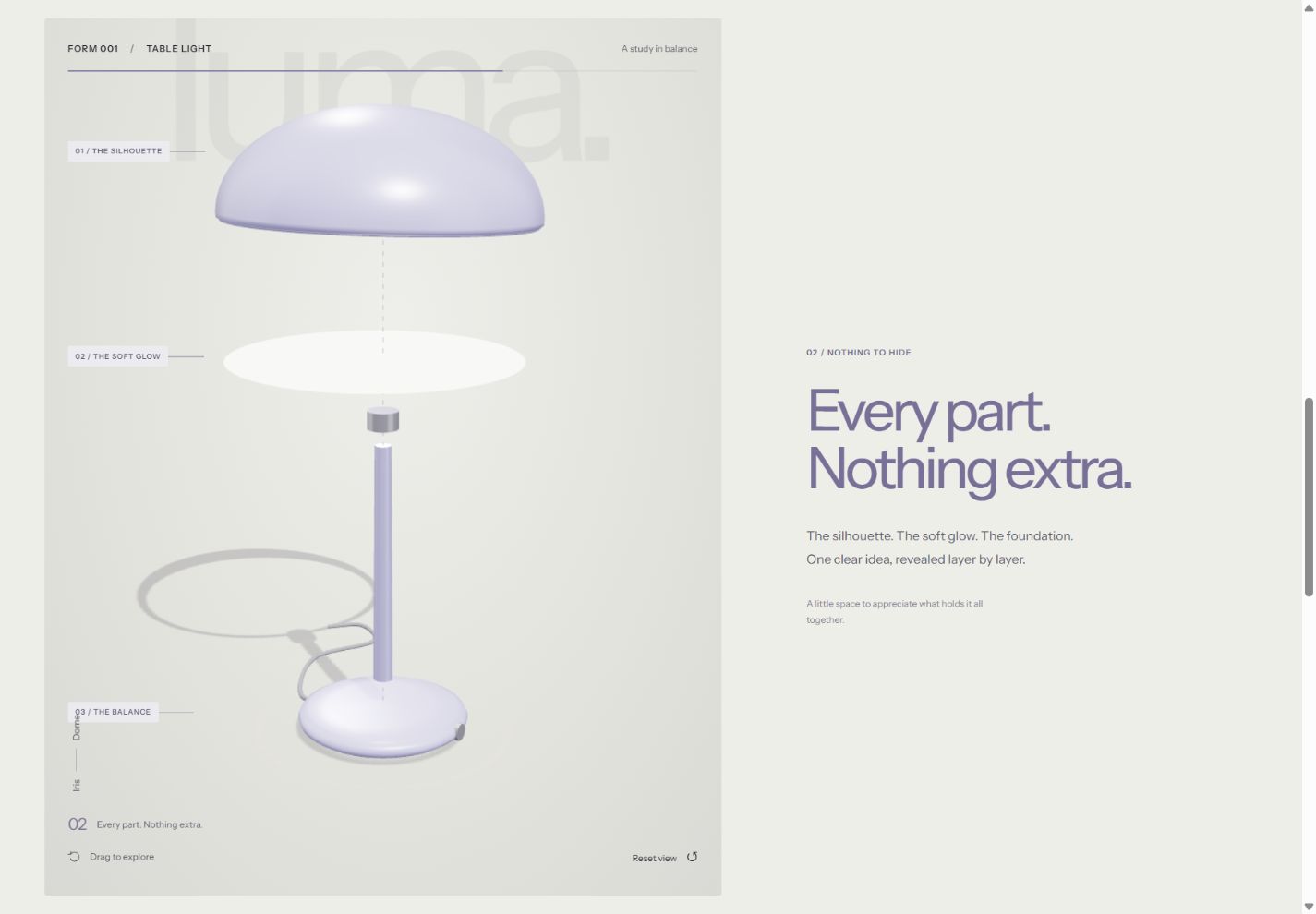
See the idea in action
LUMA / 01
On desktop, scroll to take the lamp apart. Try its finishes, shade shapes and lighting controls on desktop or mobile.
Original concepts for fictional brands, created by Singularity Shift.
Set a budget for the experience
A performance budget is an agreed set of limits that guides design and implementation choices. web.dev's introduction to performance budgets describes measures such as page weight, scripts, images and loading behaviour.
For a client brief, turn that into a few practical decisions. Which devices should the experience work well on? What must be visible before an optional scene loads? How much image detail is necessary for the task? Which third-party tools are essential?
Use separate expectations for different pages. A product demonstration may reasonably carry more visual work than a contact page. Loading its specialist code throughout the entire website would make unrelated visitors pay for an experience they did not choose.
The budget should help the team make trade-offs. It is not a single score to chase without looking at the page.
Make the first useful view independent
Start with readable content and a useful image or illustration. Explain the product, show the next action and reserve the space that an interactive scene will occupy.
For a heavier feature, decide when its code and assets should load. Opening a dedicated demonstration page, approaching the relevant section or selecting an explicit preview button are possible triggers. The right choice depends on whether the interaction is the main purpose of the page or an optional enhancement.
Do not apply delayed loading indiscriminately. web.dev recommends normal loading for images visible in the initial viewport; delaying the main image can make the first screen arrive later. Images further down the page are a different case.
Look at what LUMA loads and when it works
The LUMA concept is a fictional product experience with an interactive 3D lamp model. Its specialist 3D code belongs to that concept page, while the surrounding collection uses screenshot previews.
The lamp renders when its view or configuration changes. It does not need a permanent idle rotation to stay interesting. On a roomy screen, native scrolling drives the camera and an exploded view; a smaller screen uses a more compact presentation.
This illustrates several design choices, rather than a measured guarantee for every device. A commercial version would still need checks against its own models, imagery, customer devices and agreed expectations.
Budget for the graphics work as well as the download
A scene's cost depends on more than the file size of its model. Image textures, lighting, shadows, rendering resolution and the amount of work done each frame all affect what the device has to do.
MDN's WebGL guidance discusses hardware limits, graphics memory and rendering at a smaller resolution. The practical question for a business owner is which details visitors can actually appreciate at the size shown.
Ask to see the product on a representative phone, not only a large development monitor. If a complex shadow adds little to the product explanation, a simpler treatment may be the better choice. Keep the important shape, finish and controls legible.
Also decide what happens when the scene is off screen or the browser tab is hidden. Work that is not contributing to the visible experience should have a clear reason to continue.
Give the design a useful alternative
If a graphics feature cannot start, the page should still explain the product and provide a next step. A static product image, illustration or ordinary option selector can carry that work.
Motion preferences deserve their own design treatment. The browser can expose a visitor's request for less non-essential animation through prefers-reduced-motion. Plan what replaces a long camera sequence or large parallax movement, and ensure the information remains available.
In LUMA, the scroll presentation is disabled for reduced motion while the configuration controls remain. A separate illustrated preview is available if the 3D renderer is unavailable. These two situations have different causes and should be reviewed separately.
Check complete tasks under ordinary conditions
Choose a small set of customer tasks: open the product, change its finish, inspect a detail, save a choice and reach the enquiry route. Repeat them on agreed desktop and mobile devices, using touch and keyboard where relevant.
Check the first visit as well as a repeat visit, and include a slower connection. Look for controls that respond late, unexpected page movement and an interaction that becomes difficult after several changes.
Core Web Vitals cover loading, responsiveness and visual stability. They provide useful measurements, but a particular 3D scene still needs direct observation while it is being used. Record what was measured and what was only visually checked.
Keep the agreement useful after launch
Document the important limits and alternatives so future product images, models or marketing tools can be assessed against them. A later addition should not silently undo the choices that made the original experience usable.
For an existing site that already feels slow, begin with the general website speed guide. For a new motion-heavy design, read about accessible website animation alongside the creative brief.
James builds websites and interactive experiences in Cheltenham. Share the effect you have in mind and the task it should help customers complete to discuss a practical way to deliver it.