
A website photography brief should describe how the images will be used. A beautiful picture may be difficult to crop for a phone, too busy behind a heading or missing the detail that explains your service.
Planning those uses before a shoot gives the photographer and designer a shared set of decisions. For a Cheltenham business, this can be as practical as agreeing which part of a workshop needs to be visible, where a founder portrait will sit or how a finished room should introduce a project.
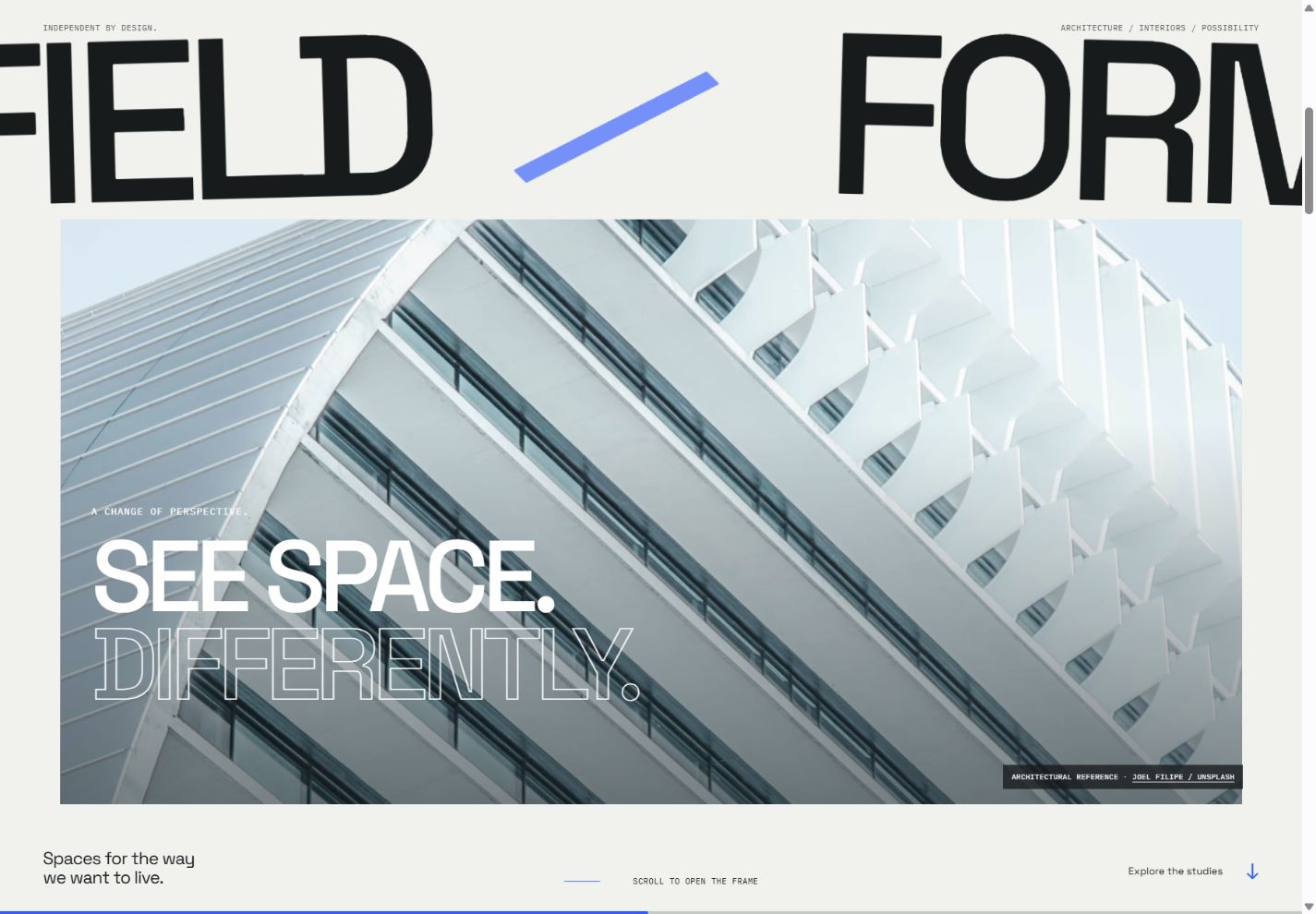
See the idea in action
FIELD / FORM
Try an architectural scroll story, project briefs and a colour-to-monochrome image study.
Original concepts for fictional brands, created by Singularity Shift.
Give each image a job
Start with a rough page outline and name the role of each important image. The opening may establish the setting. A service image may explain a process. A detail may help someone understand the care involved in the work.
Different roles call for different compositions. A wide atmospheric image can suit an introduction; a closer, more literal view may be useful beside a paragraph explaining a specific service. A founder portrait can make it clear who a prospective customer will speak to.
Ask what a visitor should learn from each photograph. If several images communicate the same thing, consider whether one can make room for a missing piece of information.
Create a short, purposeful shot list
Choose subjects around the customer's questions. A hypothetical interior design practice, for example, might brief the following images:
- An overall room view showing how the main areas relate to one another.
- A view towards the entrance that helps explain movement through the space.
- A close detail of a material junction or a practical joinery feature.
- A view showing how daylight reaches a key part of the room.
- A portrait or working scene that introduces the designer's role.
That list supports an explanation of the project. It also gives the shoot a structure beyond collecting attractive angles.
A workshop, shop or professional practice will need different subjects. Discuss access, timing, preparation and who can approve the final selection before arranging the shoot. Decide which people, documents, screens or client details should remain outside the published photographs.
Plan the crop before placing the heading
A single photograph may appear in a wide opening, a narrow phone layout and a compact preview. Identify the subject that must survive each crop, then check whether the composition allows it.
If the design places text over an image, brief a suitable area for that text. A blank wall, a quieter patch of sky or a deliberately composed background can provide space without obscuring the subject. Check readability against the actual photograph and any moving crop.
Ask for alternatives where one composition cannot serve both shapes. Responsive images can provide different resolutions and, where appropriate, different crops or compositions for the available space. MDN's responsive image guide explains those two needs.
Keep original files available for future uses, while preparing suitable derivatives for the site. Judge sharpness in the intended layout, especially if the design enlarges or moves an image.
Use references to discuss a direction honestly
The FIELD / FORM concept uses licensed photographs of existing architecture to explore a fictional studio identity. One image emphasises a curved white façade; another places a tree against a pale wall; a third studies a building's edge against open sky.
Those choices support a particular visual language: restrained colour, clear geometry and room around the subject. The expanding frame and stacked photographic sequence were designed around those characteristics.
They also show why image choice and layout should develop together. Replacing the façade with a tightly cropped portrait would change what the opening can reveal. Replacing the quiet wall with a busy street scene would change the effect of the typography.
The demo's project briefs are imagined. The photographs are credited references, and the colour-to-monochrome control compares treatments of the same image. It is not a before-and-after record of architectural work.
Agree a consistent treatment
Bring the photographer and designer a small set of references and explain what you find useful in them. Be specific about light, contrast, framing and the relationship between people and their surroundings.
Consistency can come from a shared approach to exposure, colour and composition. It does not require every photograph to be identical. An opening image can be spacious while a process image is closer and more descriptive.
Check that editing preserves an honest impression of the product, material or space. If a photograph is a reference, visualisation or illustrative image, give it a clear context. A commercial website should make it easy to distinguish the business's own work from material used to establish a mood.
Prepare the information that travels with an image
Keep a simple record of the source, photographer, subject, approved use and any agreed credit. Confirm permission for the planned publication and retain the relevant agreement or licence information. This makes later updates and handovers easier to manage.
Add a useful caption when the photograph needs context. Alternative text serves a different purpose: it conveys relevant information when the image cannot be seen. W3C recommends choosing text alternatives according to the image's role; purely decorative images are treated differently from informative ones. W3C: Images Tutorial.
Write those descriptions around the content of the page. A material detail may need a different explanation from an image used only to establish atmosphere.
Review the selection inside the design
Approve the photographs in representative desktop and phone layouts. Include a long heading, the actual service text and the contact route. For a moving composition, inspect its beginning, middle and end, plus the still version used when motion is reduced.
The website brief checklist helps organise the rest of the material. For website design in Cheltenham, send James your current photographs or shoot plans. We can identify the missing subjects, useful crops and visual decisions before the page depends on images that do not yet exist.